
An administration console can restrict access and reveal usage, but a control also needs an owner and a response. The practical task is to connect Claude’s available settings and reporting to the organization’s joiner, mover, leaver, budget and risk-review processes.
Start with the control objective
Describe the risk before selecting a setting. Restricting model access, controlling a connected tool and limiting spending solve different problems. Document who needs access, who approves it and how exceptions expire. Keep evidence of the configuration without assuming every product plan or deployment route exposes the same controls.
Use product capabilities precisely
Claude’s enterprise administration materials describe model entitlements and usage or spend visibility. These capabilities can support oversight, but they are not a complete application audit trail or a judgment about whether an output is correct. Confirm availability and semantics in the purchased product before designing a reporting or enforcement process around them. Claude administration overview.
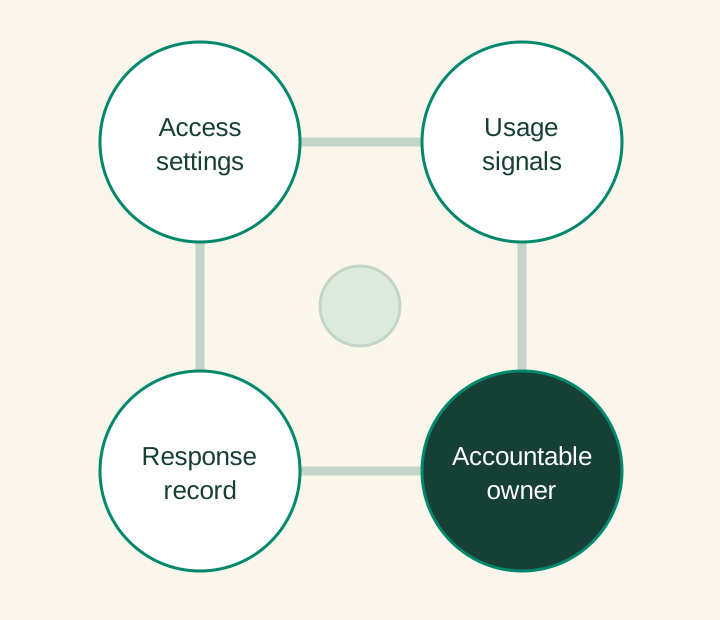
Make monitoring actionable
A report without a reviewer has little operational value. Define the review cadence, material changes and escalation owner. Investigate unexpected usage in context: a legitimate rollout, a workflow loop or an access error may look similar at an aggregate level. Keep sensitive content out of general-purpose reporting when usage metadata is sufficient.
Turn one setting into a testable procedure
Take access removal as a concrete control. The procedure should identify the authoritative user directory, who initiates removal, which connected systems are affected and how completion is confirmed. Test it with an account that has active sessions and relevant tool access. Record any delay or residual access that the operating owner needs to understand.
For spending oversight, decide whether a threshold produces an alert, a review or an enforceable limit in the purchased configuration. Those are different behaviors. A reporting dashboard should not be described as a hard budget control unless the implementation actually enforces it. Keep the policy language aligned with the tested product behavior.
Prove the control can respond
Exercise an employee departure, a role change, an unexpected spend increase and a connected-tool restriction. Record whether access was removed and whether the owner received the information needed to act. Review the evidence after organizational or product changes. A short, tested runbook is more useful than a long list of enabled settings.
Before the next decision
Planning checklist
- Role-to-permission mapping
- Verified product-plan capabilities
- Named report and exception owners
- Access-removal and escalation tests
Sources and further reading
Sources checked 5 October 2026. The design recommendations in this guide are AID’s analysis. Sector obligations depend on the use case and jurisdiction.
Apply this to a defined workflow
AID’s enablement work connects Claude configuration with practical access, adoption and operating procedures.